
Previous patch notes at this link
v3.337 introduces the new AI Scanner for spec sheets, redesigns the Settings and Profile pages, and fixes a long list of bugs.
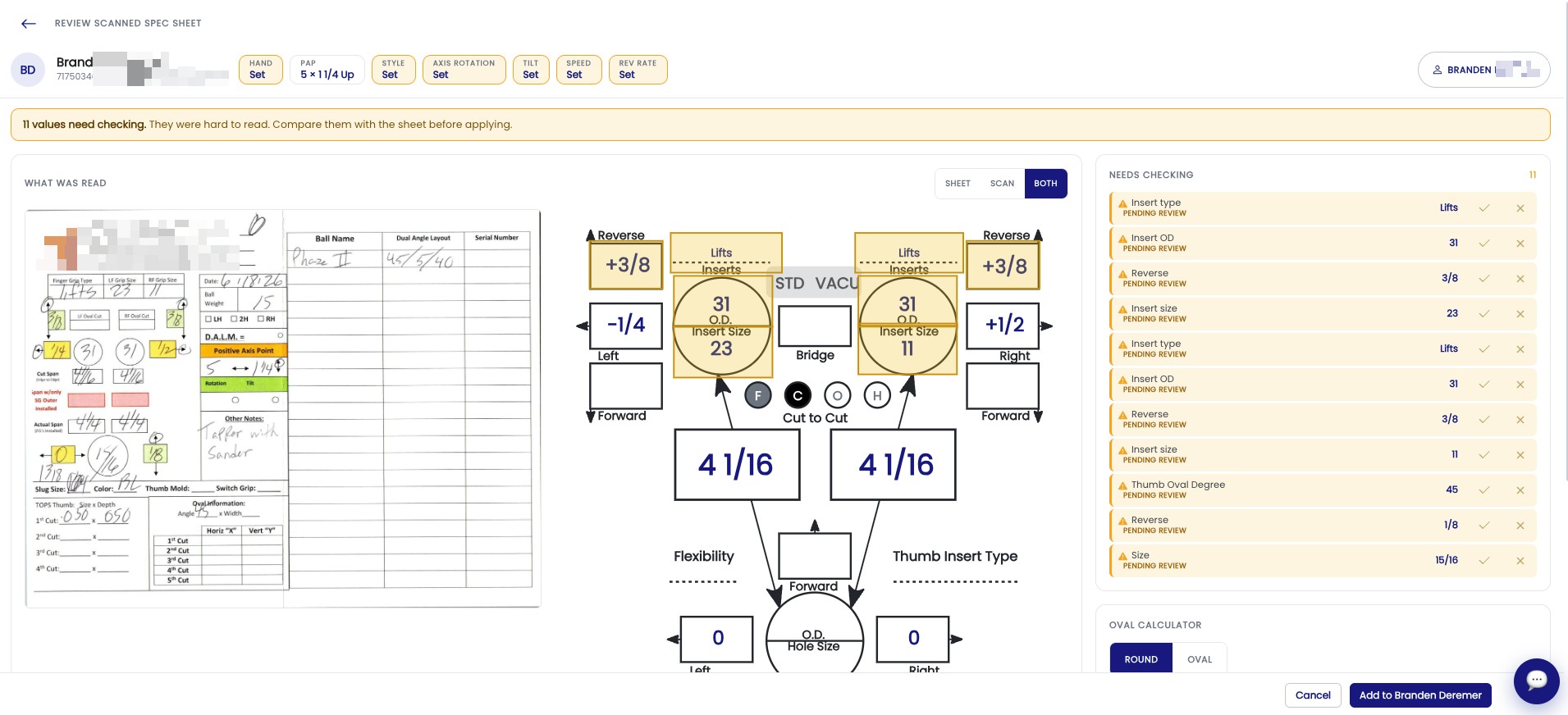
NEW – AI Scanner for Spec Sheets
Do you have a stack of paper spec sheets? The new AI Scanner reads them for you and turns them into bowlers in Spectre Cloud, without retyping.
How to scan a sheet
- Click the Scan Sheets button on the BOWLERS Screen

- Select the files or photos you want to scan, multiple can be selected.

- Make the necessary modifications and accept.
Scan batches
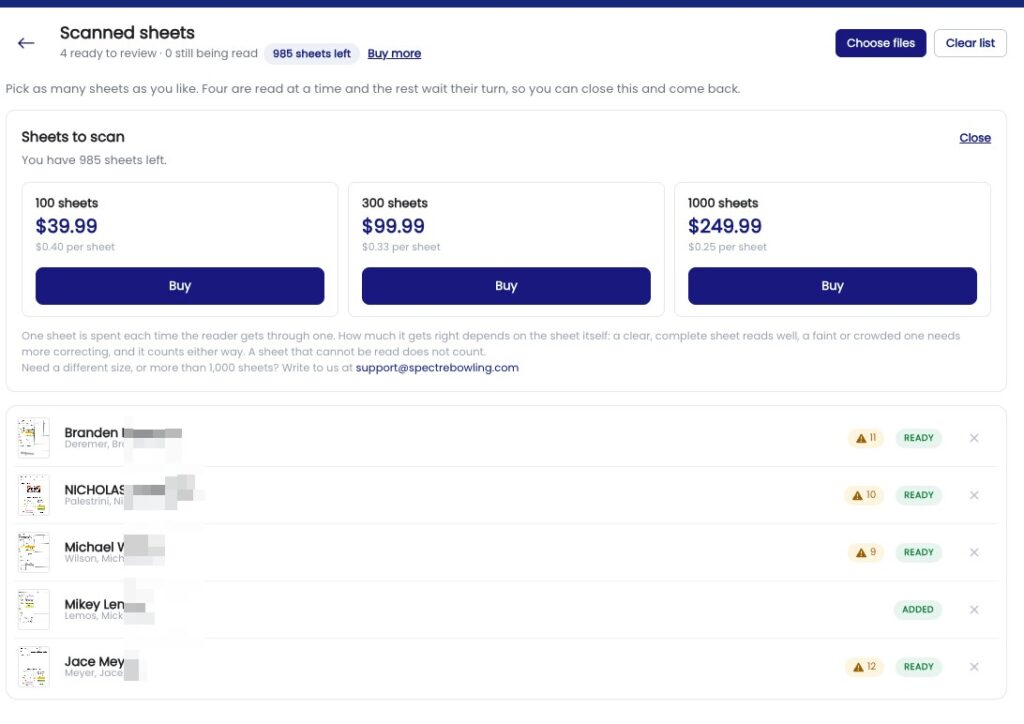
AI scanning is sold in batches of 100, 300 or 1,000 sheets:
- 100 sheets: $39.99 ($0.40 per sheet)
- 300 sheets: $99.99 ($0.33 per sheet)
- 1,000 sheets: $249.99 ($0.25 per sheet)
Your remaining sheets show at the top of the Scanned sheets screen, and you can top up anytime with Buy more.
- One sheet is used each time the reader gets through one.
- How much it gets right depends on the sheet itself. A clear, complete sheet reads well. A faint or crowded one needs more correcting, and still counts as one sheet.
New Settings and Profile Pages
Settings now have their own cleaner menu-style page, separate from your profile. The Profile page is now where you manage your account and payments.
- The Plugins icon now sits next to your profile icon at the top of the screen.
- The Settings page is now fully translated in all 9 languages.
- When you switch sections in Settings, the page goes back to the top of the new section.
- On phones, selectors with 4 options now stay on one line.
- Store Identity now has a Save button, and all fields (including 2-letter states and provinces) save properly without wiping your logo.
Bug Fixes
- Export Bowlers: exporting bowlers to CSV works again.
- Changing payment plan: switching from monthly to yearly now updates your current subscription, and shows the amount before anything is charged.
- Left-handed bowlers: the Hand chip is red again in the new bowler screens.
- Opposite-direction pitches: these now show the correct negative sign.
- Printouts: printouts now follow your H/V oval setting.
- Read-only spec sheets: history, print, share and info now stay visible. Only Add (+) and Clone are hidden.
- Turbo Quad Oval: the Turbo Quad Oval insert type is back.
- Arsenal menu: fixed Arsenal buttons showing on top of the menu.
- Span captions: fixed span captions overlapping the drawing.
- Insert options: fixed unselected inserts showing up in the insert options.